Choosing the best podcast editing software shouldn’t take longer than recording your first episode. Yet somehow most guides make it more confusing than it needs to be. This one doesn’t.
Quick picks:
- Best overall DAW: Reaper ($225 commercial license). Unmatched customization for serious production.
- Best free option (Mac): GarageBand. Intuitive, multitrack-capable, zero cost.
- Best free option (Windows/Linux): Audacity. Capable, proven, massive community.
- Best for text-based editing: Descript ($24-40/month). Edit audio like a document.
- Best remote recording: Riverside.fm ($15-24/month). Local recording, separate tracks, no download for guests.
- Best professional Mac DAW: Logic Pro ($200 one-time). Studio-grade plugins, polished interface.
- Best for narrative podcasting: Hindenburg Journalist Pro ($399 or $12/month). Built for spoken word.
This guide breaks down every major podcast recording and editing tool by price, learning curve, and what type of podcaster it actually fits. Whether you need free podcasting software to get started, the best DAW for professional podcast editing, or remote recording software for interviewing guests, we cover it all. Updated for 2026, based on Podigy’s experience producing 1,000+ episodes across Reaper, Logic, Descript, and a handful of remote recording platforms. We use these tools. We have opinions.
In This Guide
- How We Evaluated Each Tool
- Best Podcast Editing Software: Detailed Reviews
- Best Free Podcast Software
- Best Software for Remote Podcast Recording
- Full Comparison Table
- Podcast Software by Use Case
- AI Features in Podcast Software: What's Actually Useful in 2026
- The Real Cost of Podcast Software Over Time
- How Podcast Software Has Evolved (And Where It's Heading)
- Should You Edit Your Own Podcast?
- Key Takeaway
- FAQ
How We Evaluated Each Tool
We evaluated each piece of software against six criteria:
- Price: Upfront cost, subscription vs. perpetual license, and value at each tier
- Learning curve: Rated 1-5, where 1 is open-and-go and 5 is weeks-to-competent
- Multitrack support: Whether you can record and edit multiple audio sources simultaneously
- Plugin ecosystem: Third-party plugin support for noise reduction, EQ, compression, and effects
- Remote recording: Built-in or integrated capability for recording remote guests
- AI features: Automated transcription, noise removal, filler word deletion, or similar tools
We also applied a production lens: not just “can a beginner use this” but “does this produce results you’d be proud to publish.”
About this guide: Riley Byrne is the founder of Podigy. Podigy is a podcast production company that has produced 1,000+ episodes across 200+ B2B shows. This review draws on that direct production experience across Reaper, Logic Pro, Descript, and multiple remote recording platforms. Tools are evaluated both from a client-facing quality standard and from an editor-efficiency standpoint. We have a bias toward tools we actually use professionally, and we say so where it’s relevant.
What we tested: All tools in this list were used or extensively evaluated by Podigy’s production team for real client episodes. For tools we don’t use in daily production (e.g., GarageBand, Audacity at a production level), we evaluated based on hands-on setup testing and onboarding new clients who use them. Pricing was last verified March 2026.
What this guide doesn’t cover: Distribution platforms (Buzzsprout, Podbean, etc.), podcast hosting, RSS management, or audience analytics tools. This guide covers recording and editing software only.
Best Podcast Editing Software: Detailed Reviews
1. Reaper
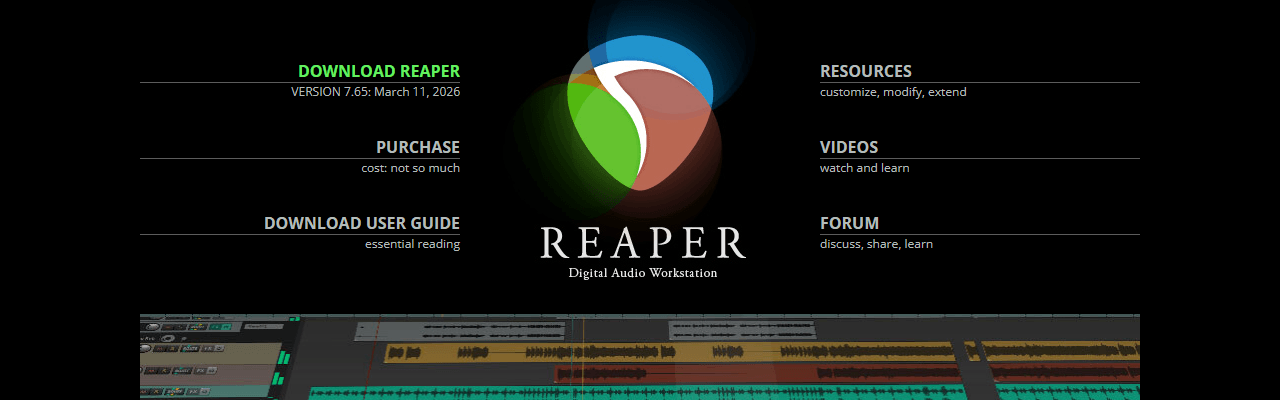
Reaper is a full-featured digital audio workstation (DAW) developed by Cockos. Originally built for music production, it has become the preferred editing environment for many professional podcast production teams, including Podigy.
Price: $225 commercial license. Free evaluation period with no feature restrictions.
Platforms: Windows, Mac, Linux
Learning curve: 3 out of 5
Best feature: Customization. Reaper is infinitely configurable through themes, action scripts, and macro shortcuts. Production companies that edit hundreds of episodes set up templates and automation that cut per-episode time significantly.
Biggest limitation: The default interface is functional but not beautiful. New users sometimes bounce off it before discovering how good it is once configured. Without a template, initial setup time is 10-20 hours.
Best for: Production teams, independent editors, and any podcaster willing to invest 10-15 hours learning the setup in exchange for years of efficiency gains.
Our take: Reaper is Podigy’s primary editing environment. The customization potential is unmatched at any price point. With our production template (which handles noise reduction, compression, leveling, EQ, and output rendering), editing a 45-minute interview episode takes our team roughly 75-90 minutes from raw file to finished master. For context: the same episode in Audacity (without a configured template) runs 3-4 hours. That efficiency gap, compounded across 1,000+ episodes, represents thousands of hours of time savings. For high-volume podcast production, no other DAW comes close to the return on the initial learning investment.
Podigy’s Reaper production template cuts editing time on a 45-minute interview from 3-4 hours (in Audacity) down to 75-90 minutes — a 60% reduction in per-episode editing time.
For comparison, Adobe Audition at $23.99/month for the same production period would have cost over $1,400 for equivalent functionality.
Start with our Reaper tutorial series if you want a production-ready setup without starting from scratch.
2. Adobe Audition
Adobe Audition is a professional audio editing and mixing application built for broadcast, post-production, and podcast workflows. It’s part of Adobe Creative Cloud and integrates directly with Premiere Pro for video/audio sync.
Price: Included in Creative Cloud subscription ($54.99/month for all apps, or $23.99/month for Audition only)
Platforms: Windows, Mac
Learning curve: 4 out of 5
Best feature: Integration with Adobe Premiere Pro. If your show has video, the round-trip workflow between Audition and Premiere is genuinely smooth compared to alternatives.
Biggest limitation: The subscription cost is hard to justify if you’re not already using other Adobe products. Reaper delivers comparable audio quality for a fraction of the lifetime cost.
Best for: Existing Adobe Creative Cloud subscribers, video podcasters, and teams already running Adobe-based post-production workflows.
Our take: Audition is excellent software. But unless you’re in the Adobe ecosystem, paying $23.99/month indefinitely for what amounts to editing software is hard to recommend when Reaper does the job for $225 once (commercial license). The integrated noise reduction and speech enhancement tools are legitimately good. AI-powered Speech Volume Leveler and Remix features (added in 2023-2024) have made Audition more competitive for podcast workflows specifically.
3. Audacity
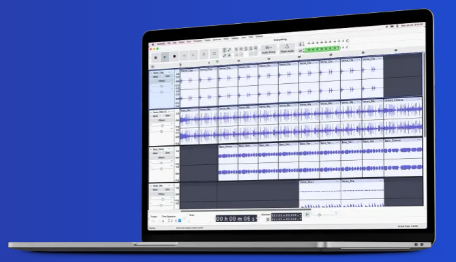
Audacity is a free, open-source audio editor that has been a starting point for podcasters for over two decades. It’s genuinely capable for basic editing and has a massive community of users and plugin developers.
Price: Free
Platforms: Windows, Mac, Linux
Learning curve: 2 out of 5
Best feature: Accessibility. It is free, lightweight, cross-platform, and can be installed and producing output in under 30 minutes.
Biggest limitation: No native multitrack editing in the way a DAW handles it. For interviews with separate guest and host tracks, the workflow gets cumbersome quickly. Also lacks real-time effects monitoring.
Best for: Beginners, budget-conscious podcasters testing their first episodes, and solo shows with minimal post-production needs.
Our take: Audacity is where most podcasters start, and there’s nothing wrong with that. It will produce a publishable episode. But if you’re recording interviews, or if production quality is a priority, you’ll outgrow it. The upgrade path is Reaper, not Adobe. Of the 200+ shows we’ve onboarded at Podigy, many started on Audacity or GarageBand before their hosts decided quality mattered enough to migrate to a proper production workflow.
Version note: Audacity went through a controversy in 2021 over data collection policy changes after a new ownership acquisition. The telemetry concerns were largely walked back, but if data privacy is a concern, verify the current privacy policy before installing.
4. GarageBand
GarageBand is Apple’s free audio production application for Mac and iOS. It’s designed for music production but adapts well to podcasting, particularly for solo shows and beginners on Apple hardware.
Price: Free (Mac and iOS)
Platforms: Mac, iOS only
Learning curve: 1 out of 5
Best feature: Simplicity. GarageBand is genuinely easy to open and record in. The built-in sounds, loops, and effects are good quality for a free product.
Biggest limitation: Mac-only. If anyone in your production chain uses Windows, this creates a compatibility bottleneck. Also lacks the plugin ecosystem depth of Reaper or Audition.
Best for: Mac users launching their first podcast, solo shows, and anyone who wants a clean recording environment without configuration.
Our take: GarageBand is the best free option for Mac users, and the upgrade path to Logic Pro is seamless since they share the same interface paradigm. If you’re on a Mac and don’t need Windows compatibility or deep customization, GarageBand is a legitimate long-term option for solo shows. It supports multitrack recording, a basic plugin suite, and export to common formats. For B2B podcasters who want “good enough, quickly” on Mac hardware, GarageBand is genuinely sufficient.
5. Descript
Descript is a text-based audio and video editor. You record in Descript (or import audio/video), it transcribes the content, and you edit the media by editing the transcript text. Delete a sentence in the transcript, that audio disappears from the timeline.
Price: Free tier (limited); Creator plan $24/month; Pro plan $40/month
Platforms: Mac, Windows, Web
Learning curve: 1 out of 5 for basic use, 3 out of 5 for advanced features
Best feature: Structural editing. Descript is excellent for moving around big elements in an episode — removing a full question, repositioning segments, cutting entire tangents. The text-based interface makes these large structural changes faster than any DAW timeline.
Biggest limitation: Fine editing. When it comes to taking out individual words, ums/ahs, pauses, or cutting on breaths, Descript struggles. The text-to-audio alignment isn’t precise enough for word-level edits, which means you either accept slightly awkward cuts or spend time manually adjusting. For B2B shows where production quality signals professional credibility, the difference between Descript output and a properly mastered Reaper session is audible.
Best for: Solo podcasters focused on content volume, teams needing collaborative editing, creators who want to repurpose audio into text-based content, and shows where speed matters more than maximum quality.
Our take: We use Descript at Podigy for moving around big elements — removing a full question, repositioning segments in an episode. It works great for that and is included in our workflow frequently. Where it suffers is fine editing: taking out individual words, ums/ahs, pauses, cutting on breaths — it’s really not built for that level of precision. As an initial pass for someone who’s not an editor to go through and make structural decisions, it works great. But for a B2B show where every episode is a first impression for a potential enterprise client, the fine editing still needs to happen in a proper DAW.
The practical workflow we recommend for high-volume shows: use Descript for initial transcript review and structural editing (removing off-topic tangents, restructuring segments), then run the cleaned audio through Reaper for mastering. You get the speed of text-based editing plus the audio quality of a proper DAW.
6. Logic Pro
Logic Pro is Apple’s professional DAW, the direct upgrade from GarageBand. It’s one of the most widely used tools in professional music production and has a strong following in the podcast and audio drama communities.
Price: $199.99 one-time purchase (Mac only)
Platforms: Mac only
Learning curve: 3 out of 5 (easier if you know GarageBand)
Best feature: Audio quality and plugin depth. Logic’s built-in plugins, including Vintage EQ Collection and Space Designer reverb, are genuinely professional-grade. The stock plugin library rivals expensive third-party suites.
Biggest limitation: Mac-only, and the one-time purchase price is higher than Reaper for comparable functionality in a podcast context.
Best for: Mac-based production teams, narrative and audio drama podcasters, shows that use music heavily, and anyone upgrading from GarageBand who wants to stay in the Apple ecosystem.
Our take: If you’re on Mac and planning to stay there, Logic Pro is an excellent choice. The stock plugins are outstanding, the interface is polished, and the upgrade path from GarageBand is natural. We use Logic Pro for some Podigy clients with particularly complex audio drama or narrative productions where the music production capabilities matter. For cross-platform teams, Reaper is the better choice. Logic Pro is genuinely competitive at its price point for Mac-only shops.
7. Hindenburg Journalist Pro
Hindenburg was built specifically for radio journalists and podcast producers, which makes it the only tool on this list designed from the ground up for spoken-word audio.
Price: $399 one-time or $12/month subscription
Platforms: Windows, Mac
Learning curve: 2 out of 5
Best feature: Automatic leveling. Hindenburg’s AutoLeveler analyzes spoken content and adjusts levels across all tracks so voices sit at broadcast-standard loudness automatically. For multi-guest shows this is a significant time saver.
Biggest limitation: Not designed for music production. If your show uses music beds, jingles, or sound design, Hindenburg’s capabilities feel limited compared to Reaper or Logic.
Best for: Documentary podcasters, narrative journalism, radio producers moving to podcast, and anyone editing long-form spoken content with complex multi-voice structures.
Our take: Hindenburg is underrated in the general podcasting space. The auto-leveling and clip gain tools are genuinely better for spoken word than anything in Reaper’s defaults (though Reaper with the right templates can match or exceed it). For narrative podcasters who don’t want to spend 20 hours in Reaper configuration, Hindenburg is worth the price. It’s particularly strong for shows with field-recorded audio, where level inconsistencies between different recording environments need automatic correction.
8. Riverside.fm
Riverside is a remote recording platform that has expanded into a full recording and editing solution. Its primary function is capturing high-quality, uncompressed audio and video from remote guests, with an increasingly capable Descript-like editing interface built in.
Price: Free tier (limited); Standard $15/month; Pro $24/month
Platforms: Web (browser-based, no download required for guests)
Learning curve: 1 out of 5
Best feature: Local recording with cloud backup. Each participant records locally on their device at full quality, and Riverside syncs the tracks to the cloud in real-time. The result is studio-quality audio even over poor internet connections.
Biggest limitation: Everything is server-side. If Riverside’s servers are down, you lose access to your recordings and projects. Rendering takes time since it happens in the cloud, not on your machine. The built-in editing interface has also improved significantly but still suffers from similar fine-editing limitations as Descript — word-level cuts and precise breath edits remain clunky.
Best for: Any interview-based podcast. If you’re recording remote guests, Riverside is the most reliable way to capture clean, separate audio tracks.
Our take: Riverside has become the standard for professional remote podcast recording. Zoom is fine for calls; it’s not fine for podcast production. The difference in audio quality between a Zoom recording and a Riverside recording is significant and audible to listeners. In our production workflow, Riverside-recorded episodes consistently require less noise reduction and level correction than alternatives, which translates directly into faster editing time per episode.
9. Auphonic
Auphonic is a specialized post-processing tool that handles audio leveling, noise reduction, loudness normalization, and format encoding automatically. It’s not a traditional DAW. It’s a finishing tool.
Price: Free tier (2 hours/month); $11/month for 9 hours; $22/month for 22 hours
Platforms: Web, mobile app
Learning curve: 1 out of 5
Best feature: Automated loudness normalization. Auphonic applies EBU R128/ATSC A/85 broadcast loudness standards automatically, ensuring your episode sounds consistent volume-wise regardless of how it was recorded.
Biggest limitation: It’s a processing layer, not a DAW. Can’t do creative editing. Some transparency is lost in heavily processed audio.
Best for: B2B podcasters who want consistent, broadcast-standard loudness without manual compression work. Teams using Descript for editing who need a mastering pass before publish.
Our take: Auphonic does one thing and does it well. For shows that don’t have a human editor doing a full mastering pass, Auphonic is the fastest path to a technically consistent-sounding episode. It won’t fix a bad recording, but it will level a good one correctly every time.
10. SquadCast
SquadCast is a remote recording platform positioned as the primary audio-focused alternative to Riverside. Like Riverside, it records each participant locally and delivers separate, uncompressed tracks.
Price: Free tier (limited); Core $20/month
Platforms: Web (browser-based)
Learning curve: 1 out of 5
Best feature: High-quality local audio recording with clean guest experience. No download required for guests.
Biggest limitation: Limited video compared to Riverside; fewer AI-powered post-production features.
Best for: Audio-first interview podcasters who want Riverside’s track quality without paying for video features they won’t use.
Our take: SquadCast and Riverside are comparable for audio quality. The differentiator is primarily in the feature set and workflow ecosystem. Riverside has added more AI-powered production features; SquadCast focuses on keeping the recording experience clean and simple. Both are meaningfully better than Zoom for podcast recording.
11. Zencastr
Zencastr is a remote recording platform with a free tier that offers separate local audio recording for up to two guests. It’s the most accessible option for podcast teams on a limited budget.
Price: Free tier (2 guests, MP3); Professional $20/month (WAV, unlimited guests)
Platforms: Web
Learning curve: 1 out of 5
Best feature: Free tier functionality. Zencastr’s free tier is more capable than Riverside’s or SquadCast’s equivalent tier, making it the best starting point for interview-format shows on zero budget.
Biggest limitation: Audio quality and reliability can vary more than Riverside at the free tier. The free tier records in MP3, not WAV.
Best for: Budget-conscious interview podcasters just starting out; shows with 1-2 remote guests.
Our take: Zencastr gets you 80% of the way to professional remote recording at zero cost. For shows just starting out, that’s a legitimate value. The upgrade to Riverside or SquadCast Pro makes sense once you’re producing consistently and quality becomes a priority.
12. Zoom
Zoom is included here because almost every podcaster has considered using it and many use it by default. The honest answer: Zoom is adequate for calls; it’s not designed for podcast production.
Price: Free tier (limited); Pro $15.99/month
Platforms: Windows, Mac, Web, Mobile
Learning curve: 1 out of 5
Best feature: Universal familiarity. Every guest knows how to use Zoom.
Biggest limitation: Zoom records a compressed, mixed audio stream. There are no separate tracks per participant. There’s no local recording option that preserves uncompressed per-participant audio. The audio quality ceiling for Zoom-recorded podcasts is significantly lower than any dedicated recording platform.
Best for: Pre-interviews, scheduling calls, and situations where recording quality genuinely doesn’t matter. Not for final production.
Our take: If your guest can only use Zoom, use Zoom. Don’t let the perfect be the enemy of the published episode. But if you have any ability to ask your guest to use Riverside, do that instead. The audio quality difference is not subtle.
Best Free Podcast Software
If you’re starting out and not ready to invest in paid tools, here are your three best options:
Audacity is the most capable free audio editor available and runs on Windows, Mac, and Linux. It handles basic editing tasks well and has a large community of tutorial resources. Best for solo shows and simple editing workflows.
GarageBand (Mac only) is the better choice if you’re on Apple hardware. The interface is cleaner, multitrack recording is more intuitive, and the built-in effects are higher quality. Best free option for Mac users.
Reaper offers a free evaluation period with no feature restrictions and no prompts to upgrade mid-session. You can use it indefinitely during evaluation (Cockos relies on the honor system for the license fee — $225 for commercial use). Functionally, it’s free for getting started, and the learning investment pays off even if you eventually pay for the license.
Free remote recording: Zencastr’s free tier records two guests locally in MP3 format. It’s not studio quality, but it’s significantly better than a Zoom recording for guest interviews.
For a complete workflow guide covering how to set up any of these tools for podcast production, see our complete podcast editing guide.
Best Software for Remote Podcast Recording
Remote recording requires a different tool category than editing. The goal is capturing clean, separate audio tracks from each participant regardless of internet quality. Here’s how the main options compare:
| Platform | Price | Local Recording | Separate Tracks | Video | Best For |
|---|---|---|---|---|---|
| Riverside | $15-24/month | Yes | Yes | Yes | Professional interview shows |
| SquadCast | $20/month | Yes | Yes | No | Audio-focused interview shows |
| Zencastr | Free to $20/month | Yes | Yes | Yes | Budget-conscious shows |
| Zoom | $15.99/month | No | No | Yes | Calls; not recommended for final production |
Key distinction: Zoom records a compressed mix of all participants. Riverside, SquadCast, and Zencastr record locally on each device and deliver separate, uncompressed tracks. For production quality, the separate track approach is non-negotiable.
For shows doing regular remote interviews, Riverside is the current standard. The browser-based guest experience (no download required) removes friction from the guest’s side, which matters for B2B shows where asking an executive to install software creates friction before the conversation starts.
Full Comparison Table
| Software | Price | Platform | Learning Curve | Multitrack | AI Features | Remote Recording | Best For |
|---|---|---|---|---|---|---|---|
| Reaper | $225 commercial | Win/Mac/Linux | 3/5 | Yes | Via plugins | No | Production teams, high-volume shows |
| Adobe Audition | $24/month | Win/Mac | 4/5 | Yes | Yes (Speech) | No | Adobe CC subscribers |
| Audacity | Free | Win/Mac/Linux | 2/5 | Basic | Via plugins | No | Beginners, solo shows |
| GarageBand | Free | Mac/iOS | 1/5 | Yes | No | No | Mac beginners |
| Descript | $24-40/month | Win/Mac/Web | 2/5 | Yes | Yes (core feature) | Yes | Repurposing-focused shows |
| Logic Pro | $200 one-time | Mac | 3/5 | Yes | Yes | No | Mac production teams |
| Hindenburg | $12/month or $399 | Win/Mac | 2/5 | Yes | Partial | No | Narrative/journalism |
| Riverside | $15-24/month | Web | 1/5 | Yes (recording) | Yes | Yes (native) | Remote interview recording |
| SquadCast | $20/month | Web | 1/5 | Yes (recording) | No | Yes (native) | Remote audio recording |
| Zencastr | Free-$20/month | Web | 1/5 | Yes (recording) | No | Yes (native) | Budget remote recording |
| Auphonic | Free-$22/month | Web/App | 1/5 | No | Yes (leveling) | No | Automated post-processing |
| Zoom | $16/month | Win/Mac/Web | 1/5 | No | No | Partial | Calls only |
Podcast Software by Use Case
Not sure where to start? Here’s the short version by scenario:
Solo podcaster on a budget: Audacity (Windows/Linux) or GarageBand (Mac). Both are free, both handle single-track recording and basic editing, and both have extensive tutorial resources online.
Interview show with remote guests: Record in Riverside, edit in Reaper. Riverside captures clean separate tracks; Reaper gives you the control to mix them well. Our Reaper tutorial series covers the full setup.
B2B show focused on repurposing: Descript for the editing and transcript workflow, Auphonic for automated loudness normalization before publishing. Fast, scalable, and produces usable output quickly.
Professional production team: Reaper or Logic Pro. Reaper for cross-platform teams; Logic for Mac-only shops. Both support sophisticated plugin chains. See our guide to compression for podcast to understand the processing chain we use.
Narrative or storytelling podcast: Hindenburg Journalist Pro. Built for this exact use case.
Mac user who wants to start immediately: GarageBand. Open it, set up your audio interface, record. No learning curve, no cost, no friction.
Or skip the software entirely and let Podigy handle production while you focus on content.
AI Features in Podcast Software: What’s Actually Useful in 2026
Virtually every tool in this list has added AI features in the last two years. Here’s what’s genuinely useful in a production context versus what’s marketing:
Filler word removal (Descript, Adobe Audition, Riverside): Unreliable. In our testing, AI filler-word removal catches roughly 80-85% of “ums” and “uhs” in well-recorded audio, but it often overcuts — removing natural speech patterns that make conversation feel real. The result is speakers who sound stilted and robotic. It overproduces false positives, cutting hesitations that are actually part of how people think and communicate. Rather than a time-saver, it frequently creates more cleanup work as you go back and undo aggressive removals. We don’t recommend relying on it as a core editing step.
Automatic noise reduction (Descript Studio Sound, Riverside, Adobe Audition, Auphonic, iZotope RX): Good if you’re not planning further post-production. Tools like Descript’s Studio Sound and Riverside’s built-in noise reduction work well for a quick cleanup on consistent background noise (HVAC hum, computer fan). However, if you’re importing tracks into a DAW like Reaper afterward, keep the original audio and reduce noise later with dedicated tools like iZotope RX. Built-in noise reduction bakes changes in permanently — you can’t undo them once exported, which limits what a skilled editor can do downstream.
AI transcription (Descript, Riverside, Otter.ai): Standard now. Every platform has it, and transcription accuracy on well-recorded audio has reached 95%+ for most accents. This is no longer a differentiator between platforms — it’s table stakes. The main value is structural editing: reviewing content to decide what to cut before touching the audio timeline.
Structural editing (Descript): This is where Descript genuinely shines. Editing audio by editing a transcript for large structural changes — removing questions, reordering segments, cutting tangents — is meaningfully faster than doing the same work on a DAW timeline. This remains Descript’s strongest feature and a real workflow advantage.
Studio Sound / voice enhancement (Descript, Adobe Enhance Speech): Mixed results. When it works, it works really well — phone-quality audio can sound surprisingly close to studio-recorded. But it has clear weaknesses: low-quality source audio and higher-pitched voices often come out with a noticeable lisp effect. It’s also easy to over-apply, producing an artificial, over-processed sound that trained ears pick up immediately. Better as a situational “this guest recorded on a phone” fix than as a standard processing step.
AI-generated show notes and summaries: Useful as a starting point, not a final output. AI summaries from Descript, Riverside, and similar tools produce serviceable first drafts but rarely capture the nuance or specific insights of a particular episode. Treat as a rough draft requiring human edit.
Voice cloning / AI recreation (Descript Overdub): Super limited use case. The idea of filling in missed words or correcting mispronunciations sounds great in theory, but in practice the amount of work required to train and use the voice model well is hard to justify when a podcast needs to ship weekly. For most production workflows, it’s faster to just re-record the line or work around it editorially.
Where AI is headed: The most promising development in podcast AI is diffusion-based voice enhancement trained on pre-existing models of a speaker’s voice. The concept: take a high-quality recording from a previous session and use that quality profile to enhance lower-quality recordings of the same speaker. Instead of generic “studio sound” processing, the AI would know what you’re supposed to sound like and apply targeted enhancement to get there. This is more accessible and practical than full voice cloning — it’s about elevating inconsistent recordings to match your best, not recreating your voice from scratch. Watch for this capability to emerge in dedicated audio tools before it hits the recording platforms.
The Real Cost of Podcast Software Over Time
Most guides compare software by monthly price. That’s useful for budget planning but misleading for total cost of ownership. Here’s the honest math over a 3-year production period:
| Software | Year 1 | Year 2 | Year 3 | 3-Year Total |
|---|---|---|---|---|
| Reaper ($225 commercial) | $225 | $0 | $0 | $225 |
| GarageBand | $0 | $0 | $0 | $0 |
| Logic Pro ($200 one-time) | $200 | $0 | $0 | $200 |
| Audacity | $0 | $0 | $0 | $0 |
| Hindenburg ($12/month) | $144 | $144 | $144 | $432 |
| Descript Creator ($24/month) | $288 | $288 | $288 | $864 |
| Adobe Audition ($24/month) | $288 | $288 | $288 | $864 |
| Riverside Standard ($15/month) | $180 | $180 | $180 | $540 |
Context from Podigy’s production history:
Reaper’s $225 commercial license, spread across 1,000+ episodes Podigy has produced in Reaper, works out to roughly $0.22 per episode. Adobe Audition at $23.99/month for the same production period (approximately 5 years) would have cost over $1,400 total for functionally equivalent podcast editing capability.
For an independent podcaster producing 2 episodes per month over 3 years (72 episodes): Reaper’s per-episode cost = $3.13. Descript Creator’s per-episode cost = $12.00. That’s nearly a 4x cost multiplier for text-based editing convenience, which may or may not be worth it depending on your workflow and time value.
Reaper costs $3.13 per episode for a podcaster publishing 2 episodes per month over 3 years. Descript Creator costs $12.00 per episode over the same period — a nearly 4x cost difference for text-based editing convenience.
The right tool is the one that fits your actual workflow. But the cost comparison is often more extreme than it looks on a monthly pricing page.
How Podcast Software Has Evolved (And Where It’s Heading)
Podcast software has changed substantially since the medium’s early days. Understanding where tools came from helps explain why some are better for certain workflows.
The early era (2004-2012): Most podcasters used Audacity because it was free and available. Garageband gained traction with Mac users. Professional audio production tools like Pro Tools and Logic Pro were used by the few with broadcast backgrounds, but their complexity and cost made them inaccessible to hobbyists.
The DAW maturation era (2012-2018): Reaper emerged as the go-to for production-focused podcasters. Its low price and deep customizability made it the workhorse for production companies. Adobe Audition added podcast-specific workflows as the medium grew. Hindenburg launched as the first tool purpose-built for spoken word rather than adapted from music production.
The remote recording era (2018-2022): COVID accelerated the adoption of remote recording tools. Riverside, SquadCast, and Zencastr all grew dramatically during this period as in-person recording became impossible. The quality gap between “recorded on Zoom” and “recorded on a proper platform” became widely understood by hosts and audiences alike.
The AI era (2022-present): Descript’s AI features (filler-word removal, Overdub, transcription-based editing) set the template for where software was heading. Adobe, Riverside, and others followed with their own AI-assisted workflows. The direction is clear: more automation of the repetitive work (leveling, noise reduction, filler removal) so editors can focus on creative decisions.
The video side: As more podcasts add video, editing tools have expanded accordingly. At Podigy, we use Reverb for video editing with custom workflows, alongside our audio-first production chain. The podcast production stack increasingly requires both audio and video tools working together.
Where it’s heading: AI diffusion-based voice enhancement, more accessible speaker-specific audio modeling, AI-generated show notes and social clips becoming standard (not premium) features, and the continued blurring of the line between recording platform and editing tool as platforms like Riverside add more post-production capability in-browser.
Should You Edit Your Own Podcast?
Honest answer: it depends on what your time is worth and what the show is for.
For most B2B executives and operators running a podcast as a pipeline asset, editing their own show is a poor use of time. A beginner editor spends 4-8 hours per episode. Even a competent non-specialist spends 2-4 hours. For someone whose time costs $100-400/hour, that math rarely works.
And editing is just one piece. A podcast that actually drives results also needs short-form clips for social media, episode artwork, show notes, distribution to all platforms, social media promotion, and ongoing content strategy. All of that adds up quickly beyond just the editing time. When you account for the full scope of production work per episode, the hours-per-week commitment for a properly produced show is significantly higher than most hosts expect going in.
The case for DIY editing:
- You’re pre-revenue and budget is a genuine constraint
- You find audio production enjoyable and it doesn’t feel like a burden
- Your show is informal and the bar for “good enough” is low
- You have an in-house media person already
The case for outsourcing:
- Your time is better spent on the show’s core activity (conversations, content strategy, distribution)
- Consistent professional quality matters for the impression the show makes on prospects
- You’re running more than 2 episodes per month
- You want someone who will improve the show over time, not just process files
If you’re considering outsourcing, see our pricing for what current production packages include, and how we work for what the ongoing workflow looks like.
If you decide to outsource, see our production company comparison to evaluate the right partner.
Key Takeaway
The right podcast software is the one that fits your actual workflow, not the most popular one or the most expensive one.
If you’re starting out: Audacity or GarageBand. Free, capable, low barrier.
If you’re building a production operation: Reaper. The investment in learning it pays back thousands of times over. Across our 1,000+ episodes produced for 200+ shows, the efficiency of a well-configured Reaper template is unmatched at any price point.
If you care most about speed and content repurposing: Descript.
If you record remote interviews: Add Riverside to whatever editing tool you use.
Start with our free Reaper setup guide if you want to learn the tool we use for professional production. Or see our production packages if you’d rather focus on being the host and let someone else handle the rest.
Frequently Asked Questions
What is the best free podcast editing software?
Audacity is the best free podcast editing software for Windows and Linux users. It handles multitrack recording, noise reduction, EQ, compression, and export to MP3/WAV. GarageBand is the best free option for Mac users who want a more visual interface with built-in loops and effects. Both are genuinely capable tools, not watered-down trials.
Reaper also offers an unlimited free evaluation period with no feature restrictions, making it functionally free for getting started. See the free software section above for a detailed comparison.
What software do professional podcast editors use?
Most professional podcast editors use Reaper, Logic Pro, or Adobe Audition. Reaper is the industry standard for dedicated podcast production houses (including Podigy) because of its customizability, macro system, and one-time perpetual license. Logic Pro is popular with Mac-based editors who also work in music. Adobe Audition is common in studios already on the Creative Cloud.
From Podigy’s experience: of the 200+ shows we’ve produced, Reaper handles the majority of our production work for its efficiency at high volume. Logic Pro handles narrative and audio drama clients with more complex music-heavy requirements. See our complete Reaper setup guide for the exact workflow we use.
What is the best podcast recording software for remote interviews?
Riverside is the best software for recording remote podcast interviews in 2026. It records each participant locally (not over the internet connection), producing studio-quality audio and 4K video regardless of bandwidth. Squadcast is the strongest alternative, with similar local recording focused on audio quality. Zencastr’s free tier is the best option for shows on a zero budget.
Zoom works in a pinch but records the compressed stream, not local audio, resulting in noticeably lower quality. See the remote recording section for a full comparison.
Is Descript good for podcast editing?
Descript is excellent for structural editing — removing full questions, repositioning segments, cutting tangents. Its text-based interface makes those large changes faster than any DAW timeline. Where it struggles is fine editing: taking out individual words, ums/ahs, pauses, and cutting on breaths. The text-to-audio alignment isn’t precise enough for word-level work.
At Podigy, we use Descript frequently for moving around big elements in an episode. As an initial pass for someone who’s not an editor, it works great. For fine editing and final mastering, we move to Reaper. Descript is ideal for solo hosts and content-first shows. It’s less suited for multi-track interview shows where precision editing and audio quality differences between speakers need careful attention.
How much does podcast editing software cost?
Podcast editing software ranges from free (Audacity, GarageBand) to $225 one-time (Reaper commercial license) to $24-55/month for subscriptions (Descript, Adobe Audition). The most common professional setup is Reaper ($225 commercial perpetual license) plus free or low-cost plugins for noise reduction, compression, and EQ.
The total software cost for a professional podcast editing setup (Reaper plus a handful of key plugins) is typically under $300. Compare that to $864 over three years for Adobe Audition or Descript Creator. See the cost comparison section for the full 3-year breakdown. See the full comparison table for pricing on all 12 tools.
What’s the difference between recording software and editing software?
Recording software (Riverside, SquadCast, Zencastr) captures audio from multiple participants over the internet, recording each track locally for quality. Editing software (Reaper, Logic Pro, Audacity, Descript) is where you assemble, clean, and master those recordings into a final episode.
Most workflows use both: record in a dedicated remote recording platform, edit in a DAW. Some tools (Descript, Riverside) are beginning to offer both in an integrated platform, but the quality ceiling of integrated platforms is still below what a dedicated DAW produces for serious production work.
Do I need a DAW for podcasting?
Not necessarily, especially for simple solo shows. Audacity handles basic single-track podcast editing without being a full DAW. Descript handles multi-track editing through its text interface without the traditional DAW learning curve. For solo interview shows with a basic recording setup and minimal post-production, you may never need a full DAW.
Where a DAW becomes necessary: multi-track mixing with complex compression and EQ chains, shows with music elements or sound design, and high-volume production where template efficiency matters. If you’re producing 4+ episodes per month or your show has multiple speakers with different recording environments, a properly configured Reaper setup will save more time than any other tool investment.